The new 1.4 Firmware introduces an expanded Jam Mode featuring several enhancements. This article will outline these new functionalities.
Upon launching Jam Mode, users will notice an updated interface when loading a track.
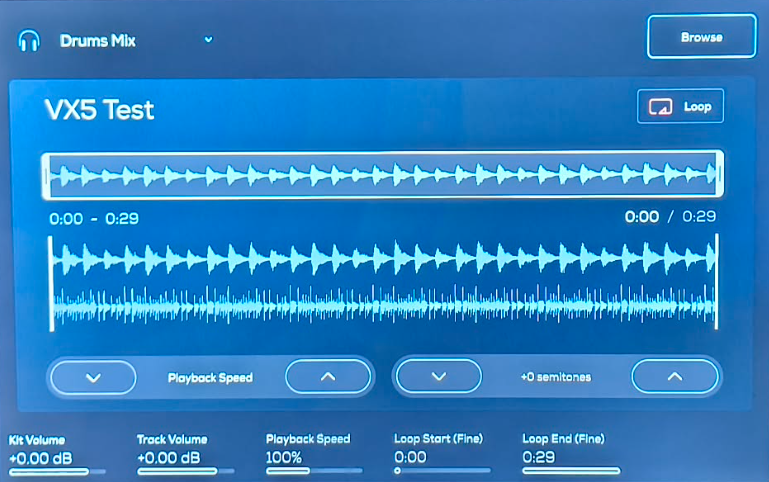
Looping a Track
The first enhancement is the Loop button, which allows for easy adjustment of loop parameters:

To adjust the play parameters of the loop setup, please tap this button to activate the loop function; from there the start and end points of the loop can be adjusted using the touch screen using the boundaries of the smaller waveform just below the loop button:

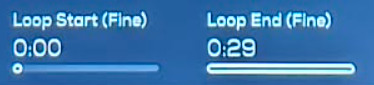
Or by adjusting the loop start -end points using the knobs below their parameters:
Pitch and Speed Adjustments
Towards the bottom of the interface are new options to adjust the speed and the tempo of the track. We will start with the Speed.
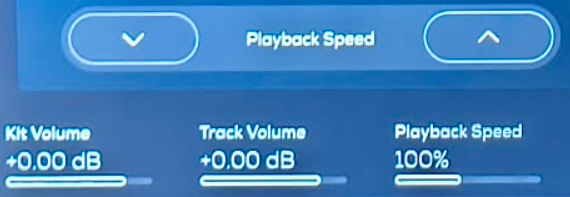
The playback speed can be adjusted in increments of the track based off 10% intervals using the touch controls, or adjusted incrementally using the knob. The module does not take the track's BPM.
The Pitch can only be adjusted using the on screen controls by Semi-tone.

Please note that the pitch modification is independent of the playback speed, This parameter does not have a knob assigned to it and cannot be edited via midi.
Drums and samples as part of a kit played alongside the modified track will not be modified.
Was this article helpful?
That’s Great!
Thank you for your feedback
Sorry! We couldn't be helpful
Thank you for your feedback
Feedback sent
We appreciate your effort and will try to fix the article