TABLE OF CONTENTS
- What is included in the Turbo Pro Kit?
- How do I register my drum kit?
- My cymbal volume is low when compared to the rest of my Turbo Pro Kit. Can I adjust the cymbal volume?
- My headphones have a built-in microphone. Can I use these with my module?
- What are the dimensions of the assembled kit?
- Can I fold this kit away for storage or travel?
- Can the Turbo Pro Kit snare trigger a rim sound?
- Can I use a different module with the Turbo Pro Kit?
- What Kits are featured with the Turbo Pro?
- I'm not getting sound from my pads! What can I do?
- What software comes with this kit?
- Can the Hi-Hat and Kick setups be upgraded?
What is included in the Turbo Pro Kit?
KIT
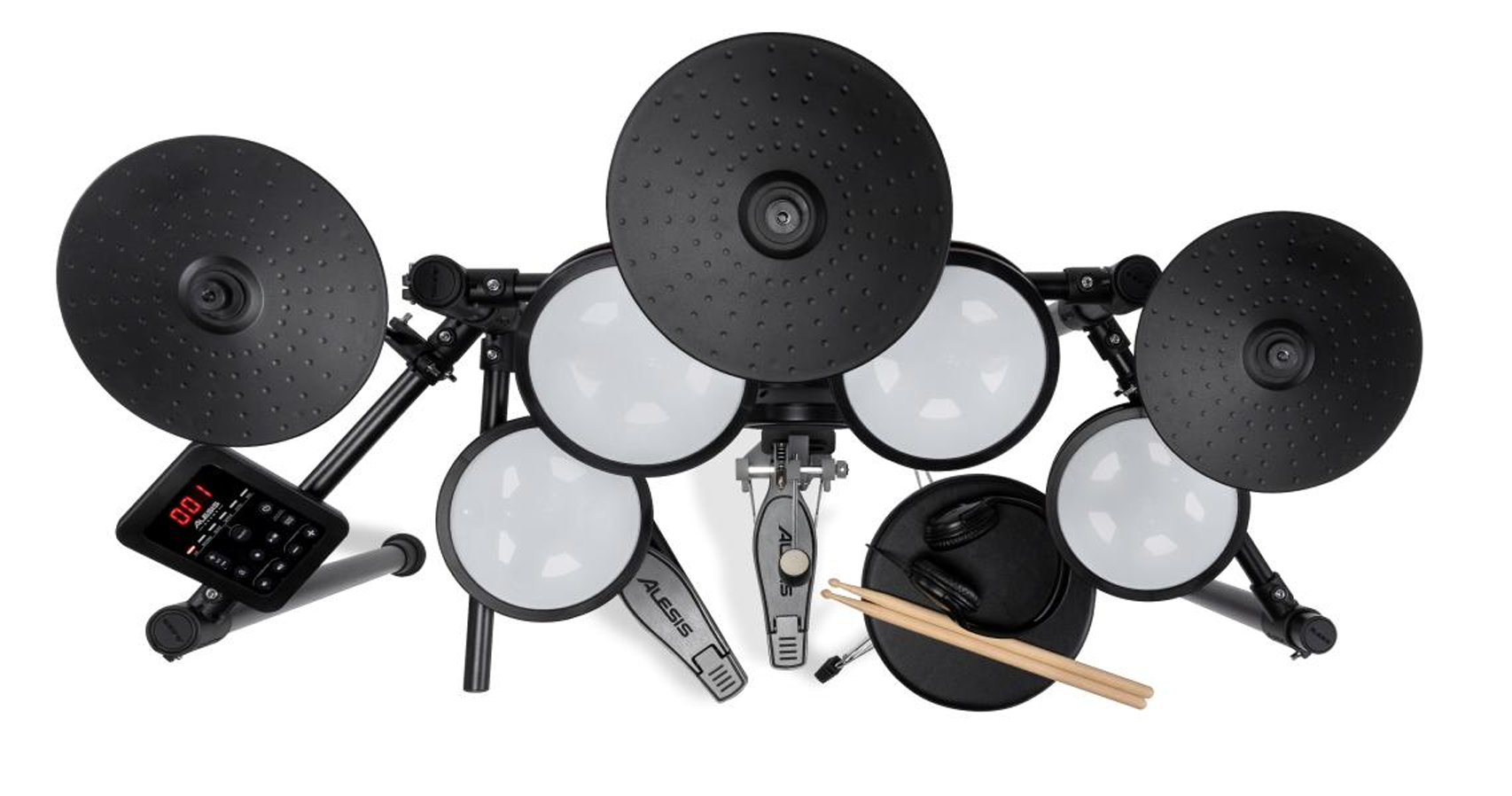
• (4) 8-inch Mesh Head Drums
• (3) 8-inch Cymbals
• 6" Kick pad, kick pedal, hi-hat pedal
• 4-Post metal rack - super solid for stability and flexibility
• Drum throne, over-the-ear headphones. connection cables, drumsticks, drum key, cable wrap strips, power supply and spare bolts included
MODULE
• 12 ready-to-play kits – 110 drum and cymbal sounds
• Bluetooth® Audio and aux input to play along with your own songs
• Bluetooth® MIDI out for sending MIDI to your PC
• 20 built-in play-along tracks, metronome, and performance recorder
• USB MIDI connection for virtual instruments and recording software
• Line output and headphone output
How do I register my drum kit?
Products are registered to an inMusic account/profile and give users access to any software downloads, authorization codes, and promotional content included with their product.
To register your product, please create an account or sign in to an existing account at alesis.com. You can also navigate to your user account by finding the Account button at the top-right of your product's brand website.

Once you have logged into your account, click the Register Product button.
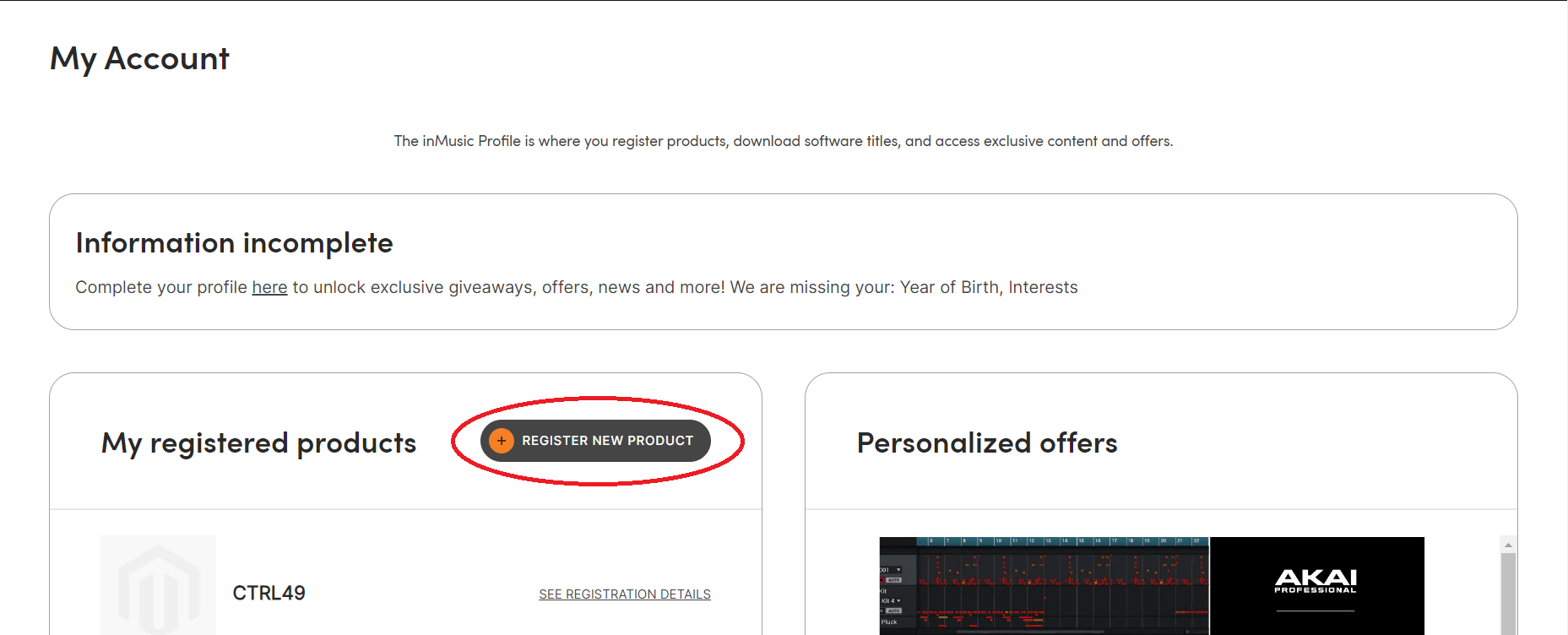
Follow the prompts to enter the serial number as it appears on your product, as well as the date of purchase and purchase location. You do not need to include the (21) when entering the serial number.
My cymbal volume is low when compared to the rest of my Turbo Pro Kit. Can I adjust the cymbal volume?
The Turbo Pro Kit does not include individual volume controls for each pad. All drum and cymbal pads are velocity-sensitive and will respond accurately to how hard they are hit. However, cymbals should not be overtightened, as they need to have some play in order for the vibrations of the hit to reach the pickup inside them. If you believe that the volume of your cymbals is significantly lower than that of your drum pads, please contact our Customer Support Team for assistance.
My headphones have a built-in microphone. Can I use these with my module?
Headphones that feature a built-in microphone have a 'TRRS jack' that may not work properly with the Turbo Pro module. The TRRS headphone jack features an extra channel which may prevent it from lining up properly inside the headphone port on the module which can cause audio drop-outs or incomplete signals.that Standard headphones which feature a 'TRS' headphone jack are required for a consistent and reliable connection.
What are the dimensions of the assembled kit?
43” x 41” x 23” (length x width x height)
Can I fold this kit away for storage or travel?
Absolutely! If the crossbars connected to the two center posts are loosened, the kit can be "folded" to make it easier for travel. When folded, the dimensions are around 22” x 7” x 35”. (Height x Width x Depth). This estimate is based on lowering the drums as much as possible and pushing the rack together.
Can the Turbo Pro Kit snare trigger a rim sound?
This kit includes a single-zone mesh snare pad, which means there is only one zone to trigger - the pad, so it does not have the ability to make a rim sound.
Can I use a different module with the Turbo Pro Kit?
The Turbo Pro Kit module is configured to respond optimally with the included drum kit. You could potentially use third-party standard triggers; however, since other manufacturers design triggers specifically for different drum modules, not all triggers may respond as expected.
What Kits are featured with the Turbo Pro?
| 1 | Studio |
| 2 | Pop |
| 3 | Rock 1 |
| 4 | Rock 2 |
| 5 | Funk |
| 6 | Metal |
| 7 | Latin |
| 8 | Jazz |
| 9 | Electronic |
| 10 | Dance |
| 11 | Percussion |
| 12 | International |
I'm not getting sound from my pads! What can I do?
If you are not hearing sound when striking your pads, ensure that the cables are securely connected to both the module and the pads. Next, ensure that your headphones or speakers are properly connected. Then, ensure that the module's volume is at an audible level. If you are still having trouble, you can reinitialize your module to the factory default settings. To do so, power it on while holding the + and - buttons. This will restore the factory settings, also erasing any settings that have been edited. which will return to their defaults. Please note that the kit does not make sounds without an output device like speakers or headphones.
What software comes with this kit?
The Turbo Pro Kit comes with a free 90 day subscription to Drumeo, which can be redeemed from your account once you have registered. In addition BFD Player, the associated Core Library, and the Dark Mahogany expansion will also be available. This software cannot be imported to the module.
Can the Hi-Hat and Kick setups be upgraded?
While any kick pedal that will drive a beater at the correct angle to hit the kick pad will be compatible, we do caution that due to the size of the pad, certain double kick pedals may have an incompatible spacing and therefore cannot recommend using one. Please see the article below for more information:
Alesis Drums | Can I use a double kick pedal with my set?
In addition, we do not recommend a traditional hi-hat stand setup for use with the Turbo Pro. It will not unlock any other sounds with the kit.
Was this article helpful?
That’s Great!
Thank you for your feedback
Sorry! We couldn't be helpful
Thank you for your feedback
Feedback sent
We appreciate your effort and will try to fix the article